---
title: Hello World
localeTitle: 你好,世界
---
## 你好,世界 !!
每个语言学习都从传统的Hello World示例开始。在这里,您将使用相同的HelloWorld程序介绍React。
React中的所有内容都是一个组件。
但在此之前,我们需要确保在计算机中安装了node.js和npm。我们可以选择使用CRA(Create React App),它是Facebook开发人员构建的工具,可帮助您构建React应用程序。它可以节省您耗时的设置和配置。您只需运行一个命令并创建react app即可设置启动React项目所需的工具。
我们可以通过以下命令安装它
```
npm install -g create-react-app
create-react-app my-app
cd my-app
npm start
```
命令行应该为您提供输出,您可以在浏览器中找到该应用程序。默认值应为localhost:8080。如果您只在Windows计算机上使用IE或Edge,我建议您安装Chrome以访问开发人员环境和可用作Chrome扩展程序的React Developer Tools。
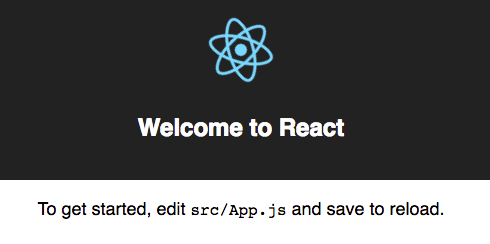
#### SRC / App.js
复制下面的代码并将其粘贴到src / App.js中
```javascript
import React from 'react';
class App extends React.Component{
constructor(props) {
super(props);
}
render(){
return(
);
}
}
export default App;
```
如果我们检查src文件夹中的index.js文件,我们发现上面的App.js被调用到index.js然后呈现。
```javascript
// Other code
import App from './App'; // The App component is imported
// Other code
ReactDOM.render(,
document.getElementById('root')); //The is the way components are called in react after importing them
// Other code
```
在上面,App.js被称为组件。通常,我们创建多个组件并将它们放在App.js中,然后在index.js中呈现它们,然后将其呈现到index.html中的根div中。
恭喜 !!您已经创建了第一个React Hello world应用程序。您将在后续文章中了解有关React的更多信息。
快乐编码!!